File: //home/lijunjie/swoole-cli/swoole-src-4.8.13/tests/README.md
# PHP Unit-test
Run these tests to make certain that the swoole extension you installed can work well.
## Preparation
try to run `./init` to initialize the databases.
| | mysql | redis |
| ------------- | ------------------------------------- | ----------------------------------- |
| path (env) | $MYSQL_SERVER_PATH | $REDIS_SERVER_PATH |
| path (travis) | ${travis}/data/run/mysqld/mysqld.sock | ${travis}/data/run/redis/redis.sock |
| host (raw) | 127.0.0.1 | 127.0.0.1 |
| host (docker) | mysql | redis |
| port | 3306 | 6379 |
| user | root | - |
| password | root | root (optional) |
| database | test | 0 |
## How to run
1. just run `./start.sh`
2. or use`./start.sh ./swoole_*` command to run a part of the tests
3. or use `./start.sh base` command to run base tests
## Defaults
| Config | Enable |
| --------- | -------- |
| show-diff | yes |
| show-mem | yes |
| show-slow | 1000(ms) |
## Log files
| suffix | intro |
| ------ | --------------------------------------------- |
| diff | show the differents between output and expect |
| out | script output |
| exp | expect output |
| log | all above |
| php | php temp script file |
## Clean
Run `./clean` to remove all of the tests log files.
## Contribute the test script
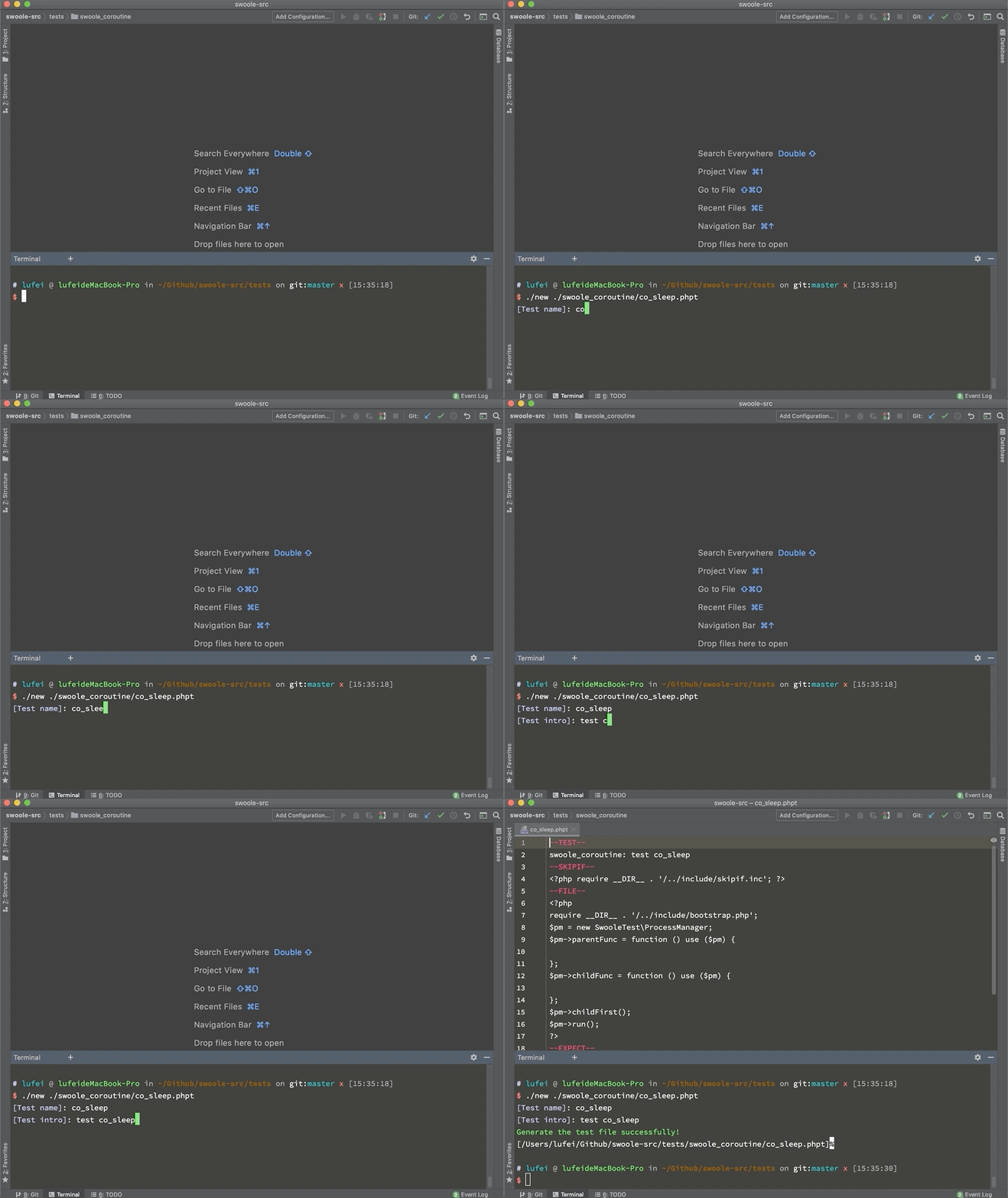
Run `./new [test-script-filename]`
E.g. : `./new ./swoole_coroutine/co_sleep.phpt`
It will generate the test script file and auto open on your ide (MacOS only).
## Code Style
`PSR1/PSR2`